





Jeep Grand Cherokee UConnect Radio Operation Guide
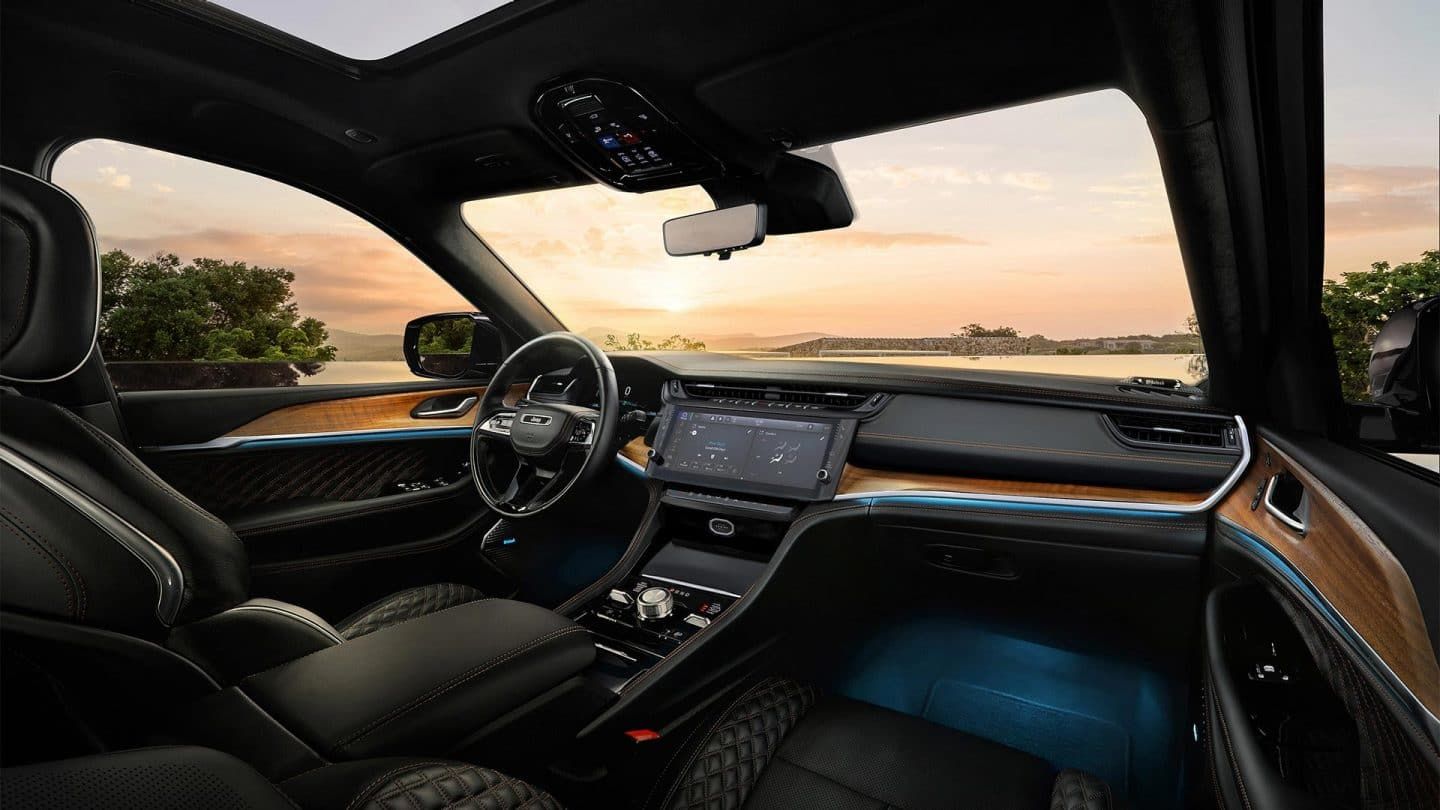
Jeep Grand Cherokee UConnect Radio Operation Guide
Get the Most Out of Your Grand Cherokee at Bedford Chrysler Dodge Jeep Ram
To get the most out of your Jeep Grand Cherokee, start by learning how to navigate your Uconnect radio. Whether you want to stream music from your phone, save your go-to radio stations, or personalize your sound settings, Bedford Chrysler Dodge Jeep Ram has you covered. Designed for local drivers commuting through Westchester County or heading out on a road trip, our guide breaks down the key features and controls you'll use every day. Stop by and see us! We're located at 531 N Bedford Rd, Bedford Hills, NY—just off NY-117 and minutes from I-684. Dive into our Uconnect radio guide below to get started!
What Can You Do With the Jeep Grand Cherokee Uconnect System?
The Jeep Grand Cherokee Uconnect system places entertainment, smartphone connectivity, and key vehicle controls right at your fingertips. With its high-definition touchscreen, you can stream music, connect via Bluetooth, make hands-free calls, and mirror your smartphone with Apple CarPlay or Android Auto. Select models also feature integrated navigation to guide you across Westchester County and beyond.
- Smartphone Integration
- Built-in Navigation
- Audio & Media
How Do You Operate the Jeep Grand Cherokee Radio?
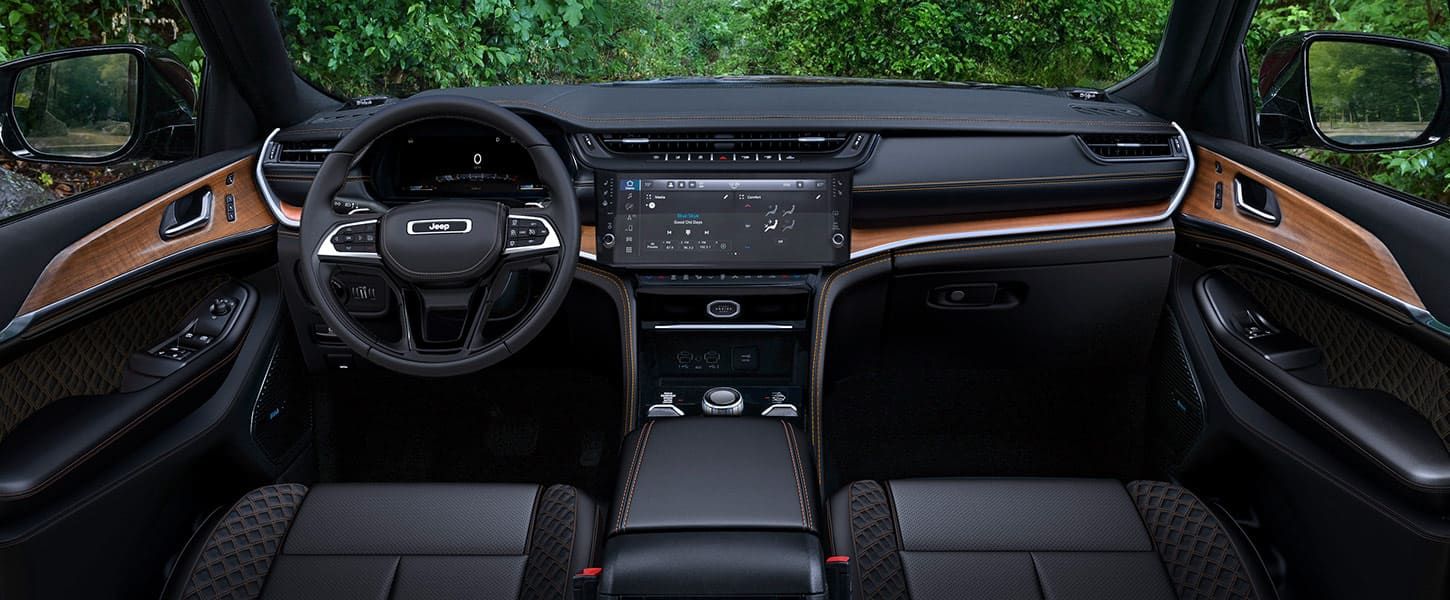
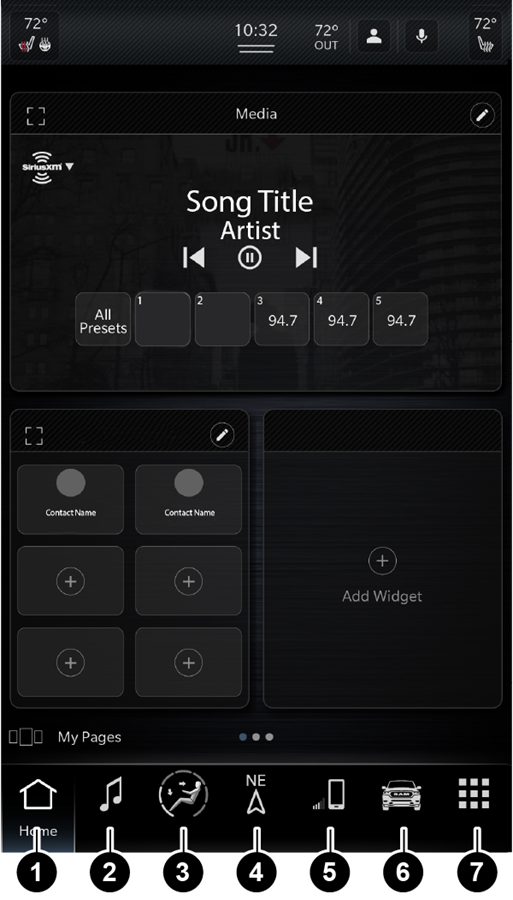
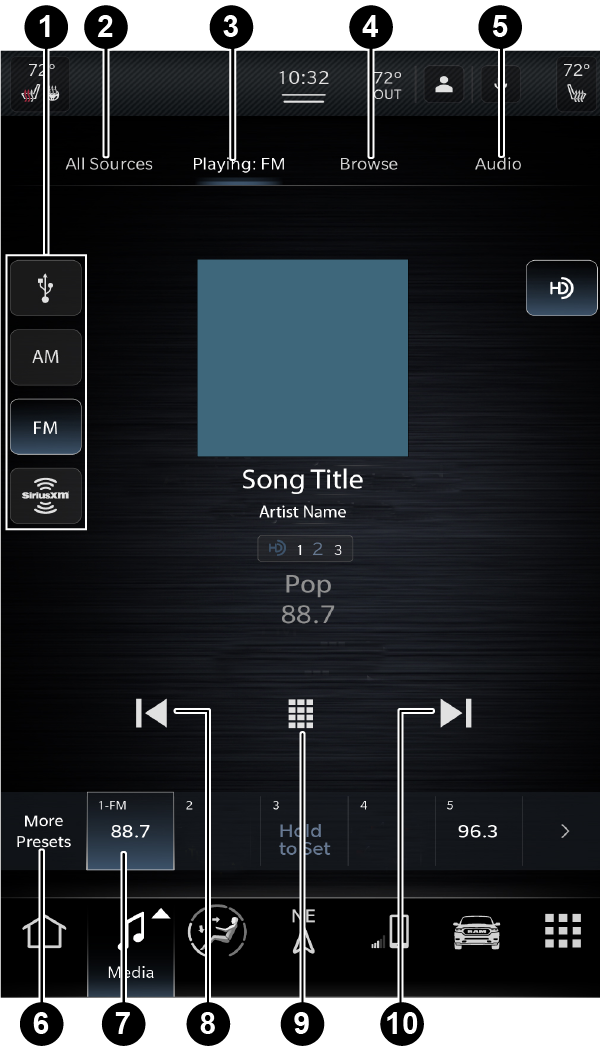
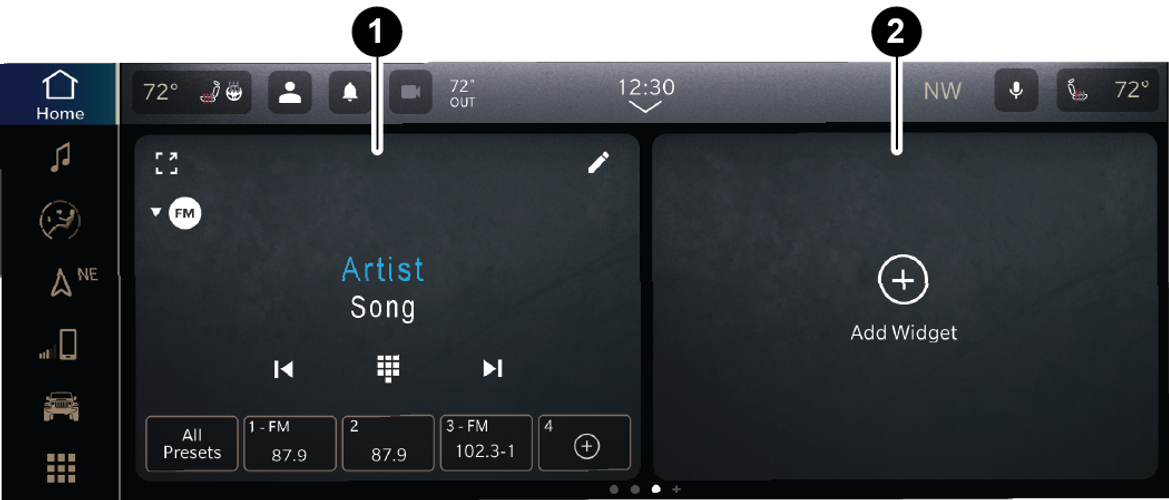
Managing audio in your Jeep Grand Cherokee is effortless. Use the physical volume knob or rear steering-wheel controls for instant adjustments, or tap the Media menu on the touchscreen to switch between AM/FM, SiriusXM satellite radio, and Bluetooth media. Scanning for new frequencies and saving your go-to stations as presets takes only a moment, giving you one-touch access to your favorite playlists and talk radio during your commute. Because menu paths and button layouts vary slightly by trim level and model year, consult your owner's manual for step-by-step instructions specific to your SUV.
- Power & Volume
- Source Selection
- Tuning & Presets
Connect Your Phone to Jeep Grand Cherokee Uconnect
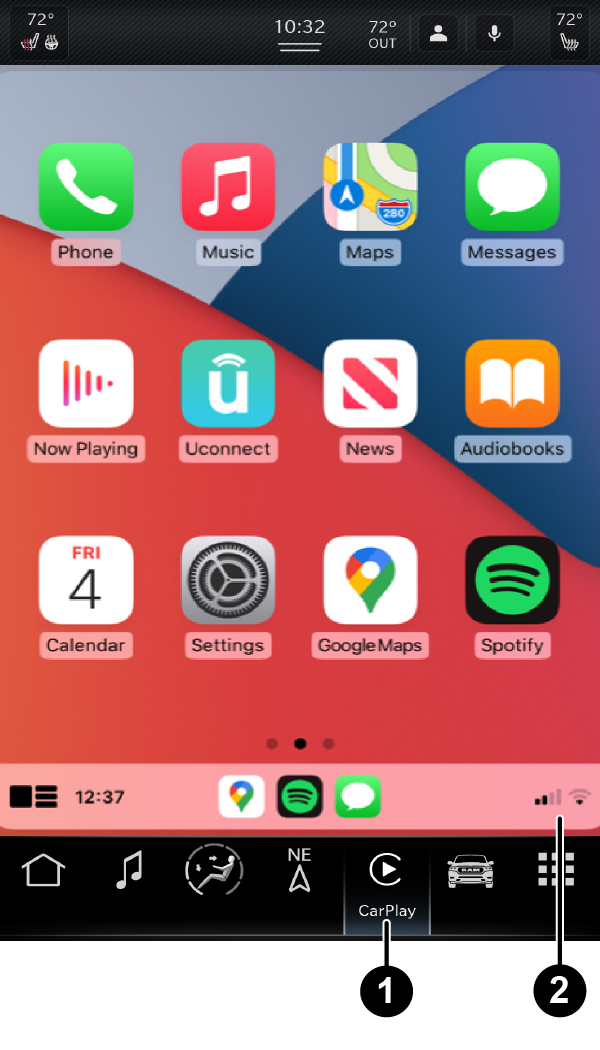
Stay connected behind the wheel of your Jeep Grand Cherokee with easy Uconnect phone integration. To pair your smartphone, park safely, turn on Bluetooth on your device, and select the Phone menu on your Uconnect touchscreen to start pairing. Follow the quick on-screen prompts to sync your contacts, recent calls, and media libraries. For an even more integrated experience, compatible models support Apple CarPlay and Android Auto (wired or wireless). This lets you seamlessly project Google Maps, Apple Maps, Spotify, and hands-free text messages directly to your dashboard. Check your owner's manual for instructions specific to your SUV's year and trim level.
- Turn On Bluetooth
- Open Uconnect Phone Menu
- Select Your Vehicle
- Confirm PIN
What Audio Settings Can You Change in Jeep Grand Cherokee Uconnect?
Transform your cabin into a personalized soundstage using your Jeep Grand Cherokee's Uconnect audio menu. Navigate to your equalizer settings to fine-tune bass, midrange, and treble, or adjust balance and fade controls to optimize sound distribution for every passenger. Premium audio builds may also offer surround sound modes and speed-sensitive volume adjustments. Once you've crafted your ideal setup, save your settings to your driver profile so your audio is always calibrated to your taste.
- Open Audio Settings
- Adjust the Equalizer
- Set Balance & Fade
- Save to Profile
Can I Update the Jeep Grand Cherokee Uconnect System?
Yes, you can update your Jeep Grand Cherokee Uconnect system through available software updates. If you are experiencing frozen menus, Bluetooth dropouts, or audio lag on your Jeep Grand Cherokee, a quick system restart can often resolve minor software glitches. For persistent issues, a factory reset returns your Uconnect radio to its default state, but it will wipe saved preferences, radio presets, and paired mobile devices. Before resetting, review the official Mopar Jeep Grand Cherokee manual for troubleshooting steps and software update notices. If your Uconnect system still isn't working smoothly, schedule a service check with Bedford Chrysler Dodge Jeep Ram today.
- Try a Soft Reboot First
- Consider a Factory Reset
- Check Official Guidelines
Need Hands-On Uconnect Help? Visit Bedford Chrysler Dodge Jeep Ram
At Bedford Chrysler Dodge Jeep Ram, we're committed to helping you get the most out of every mile in your Jeep Grand Cherokee. Whether you need hands-on help setting up Bluetooth, pairing Apple CarPlay, or troubleshooting persistent Uconnect touchscreen glitches, our expert team is ready to help. We're conveniently located in Westchester County, right off NY-117 and minutes from I-684. If your infotainment system isn't operating smoothly, complete the contact form below to connect with our certified service team today!
Key Takeaways
Q: How do I connect my phone to Jeep Grand Cherokee Uconnect?
A:
Enable Bluetooth on your phone, select the device-pairing option in your Jeep Grand Cherokee Uconnect settings, and follow the on-screen prompts to connect.
Q: Can I save my favorite radio stations in the Jeep Grand Cherokee?
A:
Yes. The radio system supports station presets, though the exact steps vary by system version.
Q: Where can I get help with my Jeep Grand Cherokee Uconnect system in Westchester County?
A:
Visit Bedford Chrysler Dodge Jeep Ram in Bedford Hills, NY, just off NY-117, for help with your Jeep Grand Cherokee Uconnect system.

* MSRP is the Manufacturer's Suggested Retail Price (MSRP) of the vehicle. It does not include any taxes, fees or other charges. Pricing and availability may vary based on a variety of factors, including options, dealer, specials, fees, and financing qualifications. Consult your dealer for actual price and complete details. Vehicles shown may have optional equipment at additional cost.
* The estimated selling price that appears after calculating dealer offers is for informational purposes, only. You may not qualify for the offers, incentives, discounts, or financing. Offers, incentives, discounts, or financing are subject to expiration and other restrictions. See dealer for qualifications and complete details.
* Images, prices, and options shown, including vehicle color, trim, options, pricing and other specifications are subject to availability, incentive offerings, current pricing and credit worthiness.
* In transit means that vehicles have been built, but have not yet arrived at your dealer. Images shown may not necessarily represent identical vehicles in transit to your dealership. See your dealer for actual price, payments and complete details.
Max payload/towing estimate ratings shown. Additional options, equipment, passengers, and cargo weight may affect payload/towing weights. See dealer for details.